Login
Simzy provides secure login options so you can easily access your account across devices.
You can log in using your email & password, Google account, or Apple ID.
Login with Email & Password
- Open the Simzy app.
- On the login screen, select Email Login.
- Enter your registered email address.
- Enter your password.
- Tap Login to access your account.
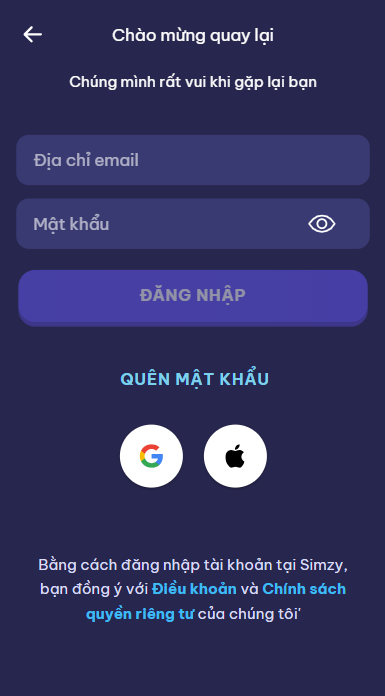
👉 If you forget your password, tap Forgot Password to reset it via email.
Login with Google
- Open the Simzy app.
- On the login screen, tap Continue with Google.
- Select your Google account or sign in with your Google credentials.
- Once authenticated, you’ll be redirected back to Simzy.
✅ Recommended if you want faster sign-in and easy syncing with Google services.
Login with Apple
(iOS only)
- Open the Simzy app on an iPhone or iPad.
- On the login screen, tap Continue with Apple.
- Confirm with Face ID, Touch ID, or your Apple ID password.
- You’re automatically signed in and redirected back to Simzy.
🔒 Apple Sign-In provides extra privacy: you can choose to hide your email if desired.
Tips
- Use the same login method across devices (Email, Google, or Apple) to keep your progress synced.
- Enable two-factor authentication (2FA) on your Google or Apple account for added security.
- If you created your account with Google/Apple, you must continue logging in with that method.
✅ You’re ready to log in to Simzy and continue your learning journey!