Switch Course
If you want to learn something new, you can switch to another course at any time.
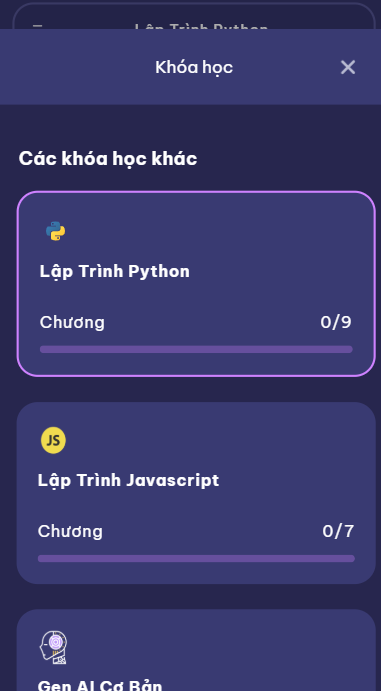
The Switch Course page shows you the list of available courses — just select one and start immediately.
How It Works
-
Open the Switch Course page from your profile or settings.
-
Browse the list of available courses.
-
Tap on the course you want to switch to.
-
Confirm your choice → the new course becomes your active learning track.
Example: Available Courses
Switch Course Example
# Choose a New Course

- **Python Basics** → Learn the foundations of coding.
- **Web Development Intro** → Build your first website.
- **Data Science Starter** → Analyze data with Python.
- **AI & Machine Learning Starter** → Get hands-on with AI concepts.